
blog
How to Change the Photo on Your UK Driving Licence: Post Office vs. Online
Jul
How to Change the Photo on Your UK Driving Licence: Post Office vs. Online
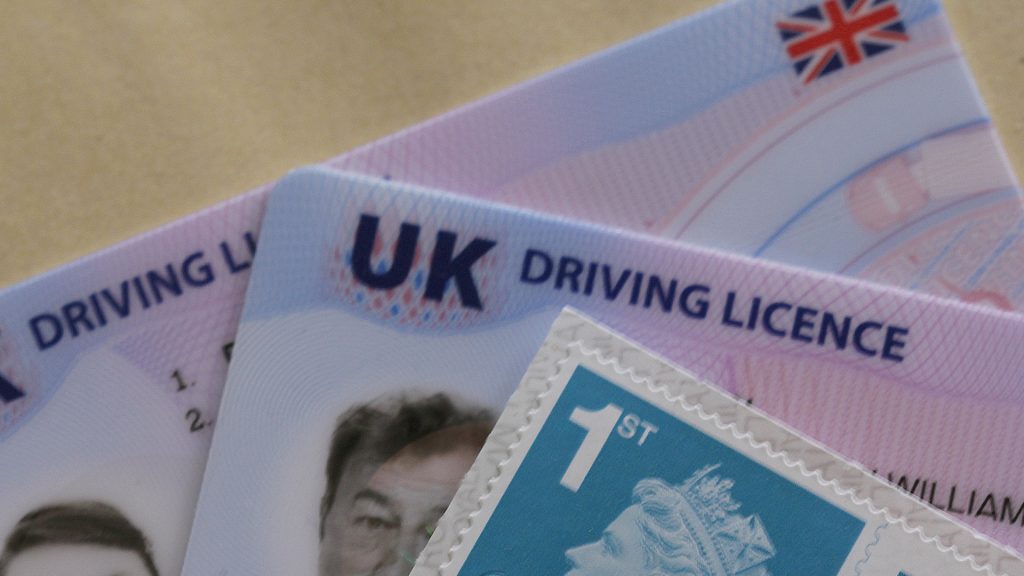
If you need to change driving licence photo details on your UK photocard, acting quickly helps you avoid massive legal headaches. Is your photocard creeping up on its 10-year expiration date? Or perhaps you are simply tired of handing over a picture taken a decade ago that looks nothing like you today. Driving photocard pictures across Great Britain must be updated every 10 years to stay valid. Failing to keep this vital piece of identification current can trigger unexpected fines up to £1,000.
When you decide to change driving licence photo credentials, you must choose between two main routes: applying online via GOV.UK or visiting a local Post Office branch in person. Both methods get the job done efficiently, yet they vary dramatically in terms of speed, overall cost, personal convenience, and identity checks.
This breakdown provides everything you need to know about the DVLA photocard renewal process. Consequently, we will explore costs, processing times, photo rules, and a detailed step-by-step comparison to help you make the best decision for your needs.
Why You Must Change Driving Licence Photo Details Regularly
Photocard driving licences were introduced across the UK to prevent identity fraud and ensure road safety. The primary driving photocard image must be renewed every 10 years so police officers, car hire firms, and employers can easily verify your identity.
The expiry date printed under section 4b on the front of your card applies specifically to the photo, not your legal right to drive. The entitlement to drive generally lasts until age 70. However, driving with an expired image violates the Road Traffic Act.
+------------------------------------------------------------+
|  DRIVER LICENCE (UK)                                       |
|  1. SURNAME                                                |
|  2. FIRST NAMES                                            |
|  3. DATE OF BIRTH                                          |
|  4a. ISSUE DATE    4b. EXPIRY DATE <-- (Check photo date!) |
+------------------------------------------------------------+
Consequently, keeping your details current ensures you avoid unnecessary points, rental delays, or severe financial penalties.
Post Office vs. Online Photo Renewal: At a Glance
Before examining each option in detail, here is a quick direct comparison highlighting the main differences between updating your details online versus visiting a Post Office branch.
| Feature | Online Renewal (GOV.UK) | Post Office In-Person Renewal | Postal Application (D1 Form) |
| Total Cost | £14 | £21.50 | £17 + photo cost |
| Turnaround Time | 5 to 7 days | Up to 3 weeks | 3 weeks or longer |
| Photo Source | UK Passport / Upload | Captured digitally in-branch | Physical passport printout |
| Document Verification | Digital (GOV.UK One Login) | Automated digital check | Manual paper processing |
| Best For | Tech-savvy users, fast turnaround | Non-tech users, cash payment | Name/gender updates needed |
Option 1: How to Change Driving Licence Photo Online
For most UK drivers, students, and busy professionals, opting to change driving licence photo records online via GOV.UK is the fastest and cheapest option available.
+-------------------------------------------------------------------+
|  GOV.UK ONLINE RENEWAL                                            |
|  [Log In] --> [Fetch Passport Photo] --> [Pay £14] --> [Done]     |
+-------------------------------------------------------------------+
How the Online Process Works
The DVLA online service hooks directly into the HM Passport Office database. If you hold a valid digital UK passport, the system can automatically pull your passport picture and digital signature straight into your driving licence record.
Alternatively, you can upload a new compliant digital photo taken on a smartphone or digital camera if you meet strict lighting and contrast requirements.
Step-by-Step Online Application Guide
-
Set Up Access: Go to the official GOV.UK photocard renewal page and log in using your GOV.UK One Login details.
-
Provide Verification Details: Supply your current photocard licence number, National Insurance number, and your UK residential addresses for the past 3 years.
-
Select Your Image: Allow the DVLA system to retrieve your UK passport photograph or upload a compliant new file.
-
Pay the Fee: Pay the £14 renewal fee using a valid debit or credit card.
-
Post Your Old Card: Cut your old photocard in half and return it to the DVLA address provided at the end of the application process.
Advantages of Applying Online
-
Cheapest Method: Saves you £7.50 compared to the Post Office route.
-
Lightning Fast: Your physical card usually arrives at your address within 5 days.
-
24/7 Availability: Complete the application from home on your phone or laptop.
Disadvantages of Applying Online
-
Requires a valid UK passport or digital photo setup.
-
Cannot be used if your legal name or title has changed alongside your photo update.
Option 2: How to Change Driving Licence Photo at the Post Office
If you prefer face-to-face service or lack a digital UK passport, visiting a designated Post Office branch is a hassle-free alternative.
+-------------------------------------------------------------------+
|  POST OFFICE IN-PERSON RENEWAL                                    |
|  [Visit Branch] --> [In-Branch Photo] --> [Pay £21.50] --> [Done] |
+-------------------------------------------------------------------+
How the Post Office Service Works
Not all Post Office branches offer this service, so you must locate a branch offering DVLA Photocard Renewal.
You do not need to bring paper passport photos. The postal clerk uses an in-branch tablet console to take your picture, capture your electronic signature, and verify your details directly on the spot.
Step-by-Step Post Office Application Guide
-
Find a Branch: Use the online Post Office branch finder tool to locate an operational location offering DVLA photocard services.
-
Gather Documents: Take your current photocard licence along with your DVLA renewal reminder letter (form D798) if you received one.
-
Capture Image & Signature: The staff member captures your photo and digital signature using their secure tablet terminal.
-
Pay In-Store: Pay the total fee of £21.50 using cash, contactless, or card.
-
Form Submission: The Post Office securely transmits your data to the DVLA electronically. You keep your current licence until your replacement photocard arrives in the mail.
Advantages of Post Office Renewal
-
No Passport Required: You do not need an existing UK passport.
-
Zero Photo Stress: Staff members ensure your image matches strict DVLA requirements.
-
Flexible Payments: Cash and card payments are accepted in branch.
Disadvantages of Post Office Renewal
-
Higher Price: Costs £21.50 total (£17 DVLA charge + £4.50 Post Office processing fee).
-
Longer Wait Times: Processing usually takes up to 3 weeks.
Option 3: Traditional Postal Renewal via D1 Pack
If you need to change your name, legal title, or gender at the same time as updating your picture, you must submit a physical postal application.
+-------------------------------------------------------------------+
|  POSTAL APPLICATION (D1 FORM)                                     |
|  [Get D1 Pack] --> [Attach Paper Photo] --> [Post £17 Cheque]     |
+-------------------------------------------------------------------+
-
Pick up a D1 Application Pack from a Post Office branch or order it online from the DVLA.
-
Complete the paper form carefully using black ink.
-
Enclose a physical, passport-style printed photograph meeting official standards.
-
Enclose your existing photocard licence and identity documents if changing your name (e.g., marriage certificate).
-
Pay the £17 fee by enclosing a cheque or postal order made payable to “DVLA”.
-
Send your pack to: DVLA, Swansea, SA99 1DH.
Strict Rules to Change Driving Licence Photo Images
Whether you choose the online upload route or use paper prints for a D1 form, your image must strictly comply with official DVLA guidelines. Failing to follow these rules will delay your application.
-
Background: Plain light gray or cream background with no shadows.
-
Expression: Neutral expression with mouth closed; no smiling or frowning.
-
Eyes: Open, clearly visible, and free from glare or tinted lenses.
-
Head Covering: Allowed only for religious or medical reasons, provided full facial features are completely visible from chin to forehead.
-
Image Quality: Sharp focus, no red-eye, clear contrast, and untinted.
Which Method Should You Choose?
Making the right selection depends on your budget, timeline, and documentation:
-
Choose Online if: You want your licence back fast, hold a valid UK passport, and want to save money.
-
Choose Post Office if: You do not have a UK passport, want instant photo approval, or prefer dealing with staff in person.
-
Choose Postal (D1) if: You must update your legal name or gender alongside your updated picture.
Frequently Asked Questions
Can I drive while waiting to change driving licence photo details?
Yes, in most circumstances you can continue driving while your application is processed, provided your previous licence was not revoked, disqualified, or expired for medical reasons. The DVLA allows driving under Section 88 of the Road Traffic Act 1988 once your submitted application has been logged.
How much does it cost to change driving licence photo credentials?
Renewing online costs £14. Renewing at a Post Office branch costs £21.50. Applying by mail with a D1 pack costs £17 plus physical photo printing expenses. Drivers over 70 or those updating address details only do not pay a fee.
Does changing my address update my photo too?
No, changing your address details on a UK driving licence is completely free. However, updating your address does not automatically extend your photocard expiry date. If your picture is near its 10-year limit, you must pay the renewal fee to update the image concurrently.
How long does the Post Office renewal take?
When you apply via a Post Office branch, your completed details are transmitted electronically to Swansea. Your new photocard licence typically arrives by post within 3 weeks.
Streamline Your Practical Admin Tasks
Managing official documents and driver admin does not have to be frustrating or expensive. Selecting the right option when updating your photo saves both time and money.
For more step-by-step guides, financial breakdowns, tech updates, and practical guides, explore our latest resources at Primequalitynotes.com. Stay organized, avoid unnecessary fines, and handle everyday administration with confidence.
